
These MLA format templates follow the MLA Handbook, ninth edition, with the margins, spacing, heading, header and Works Cited page already formatted. The set includes an MLA paper template, a finished sample paper, a Works Cited template with a citation guide, an annotated bibliography template and a checklist of the format to go through before you hand your paper in. Here are all five.
MLA Format Templates (Word and PDF)
All five are US Letter size. Type your paper in the Word versions, where every setting in the Guide for Making MLA Format Templates is already made, including a header with your last name and an automatic page number. Open the PDFs to see the finished format on screen or to print it. The checklist is a fillable PDF you can tick.
MLA Format Paper Template
Start your paper from this template when you’re ready to write it. The heading, the centered title, the header and the Works Cited page are already formatted, and the placeholder paragraphs you type over contain the MLA rule for each part, such as how to write a parenthetical citation or set off a long quotation. You read each rule at the moment you need it, in the part of the paper it applies to. The Word version also has styles saved in it for the heading, the title, section headings, block quotations and Works Cited entries, and you can format any of those lines in one click.
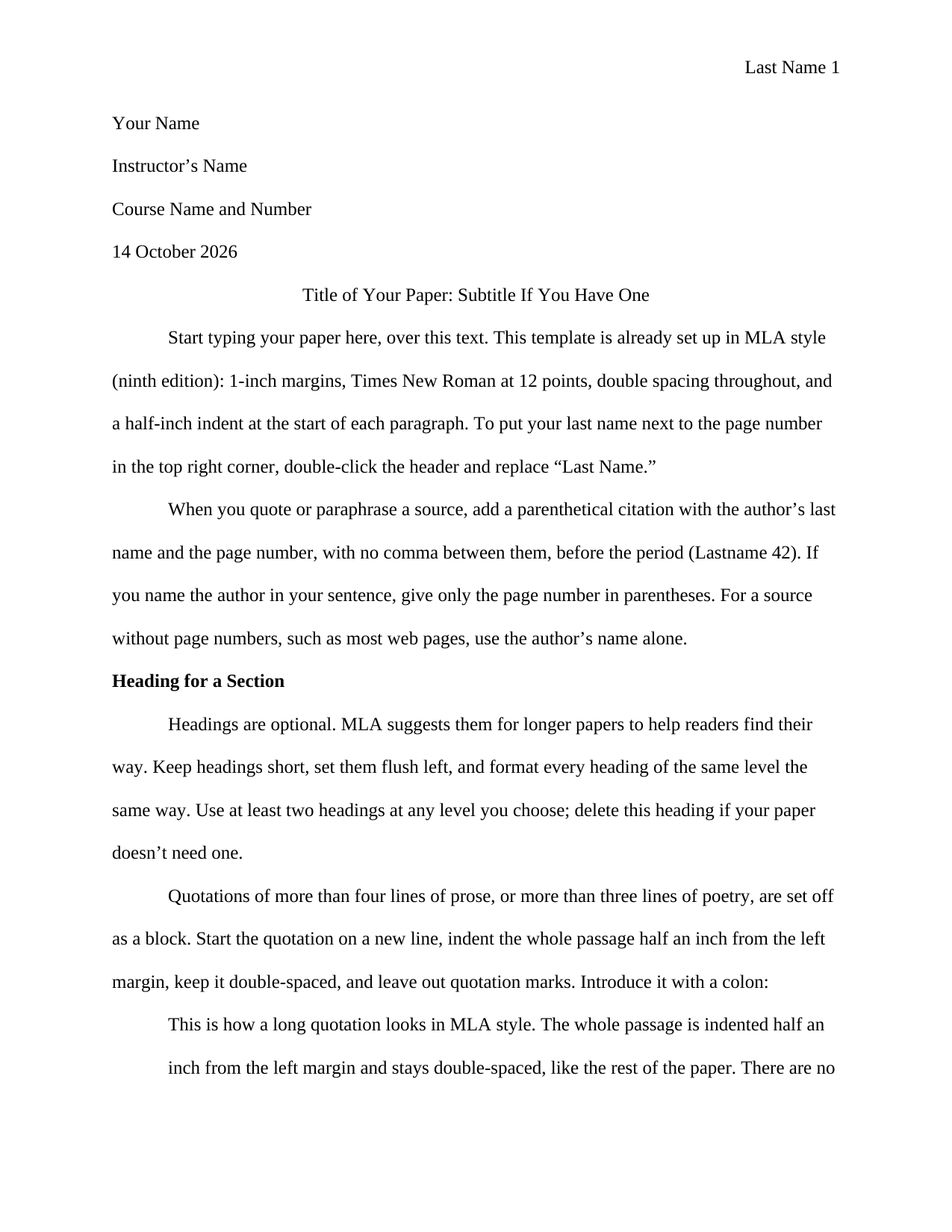
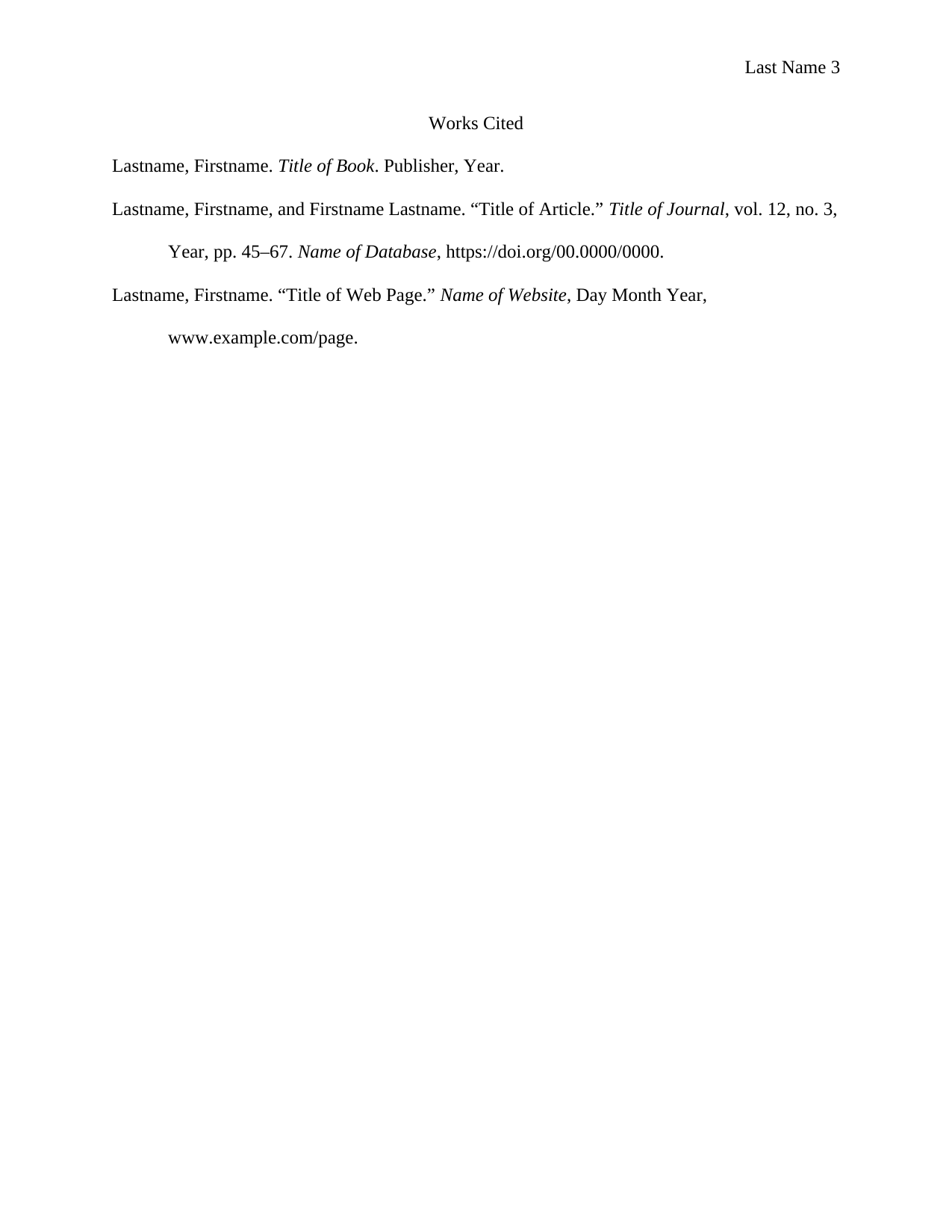
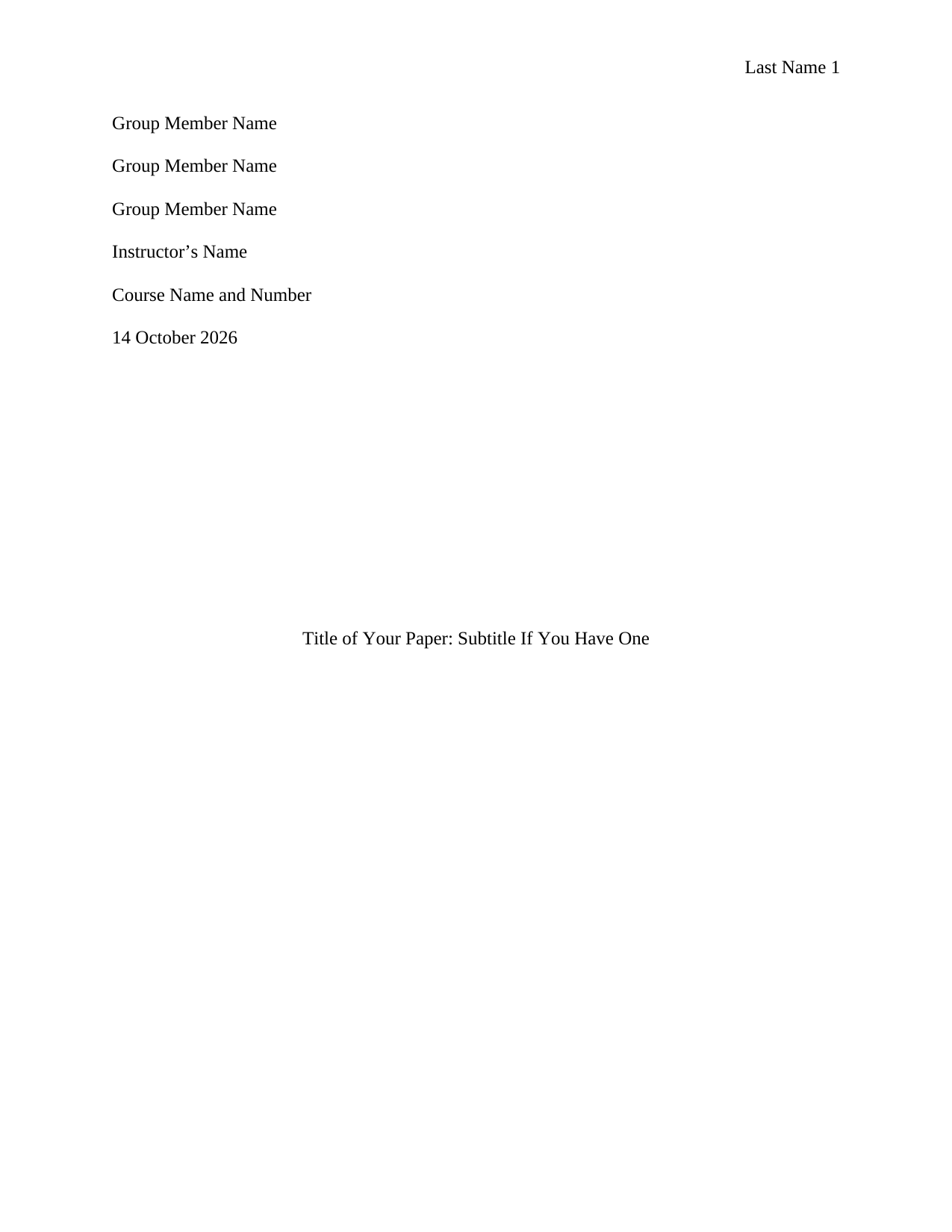
MLA Format Paper Template with Title Page
This version includes a title page with a line for each group member’s name. Use it for a group paper or any paper that needs a title page.
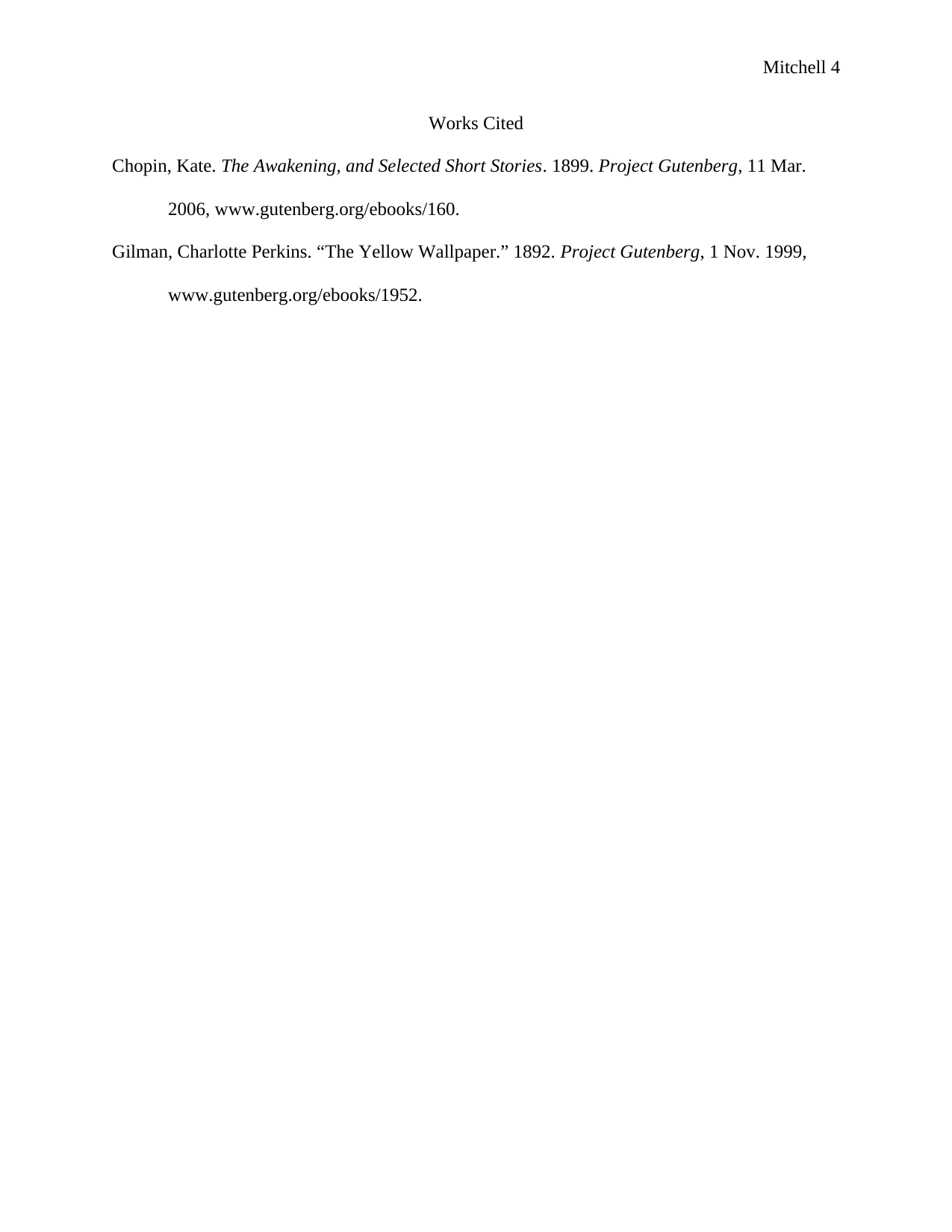
MLA Sample Paper
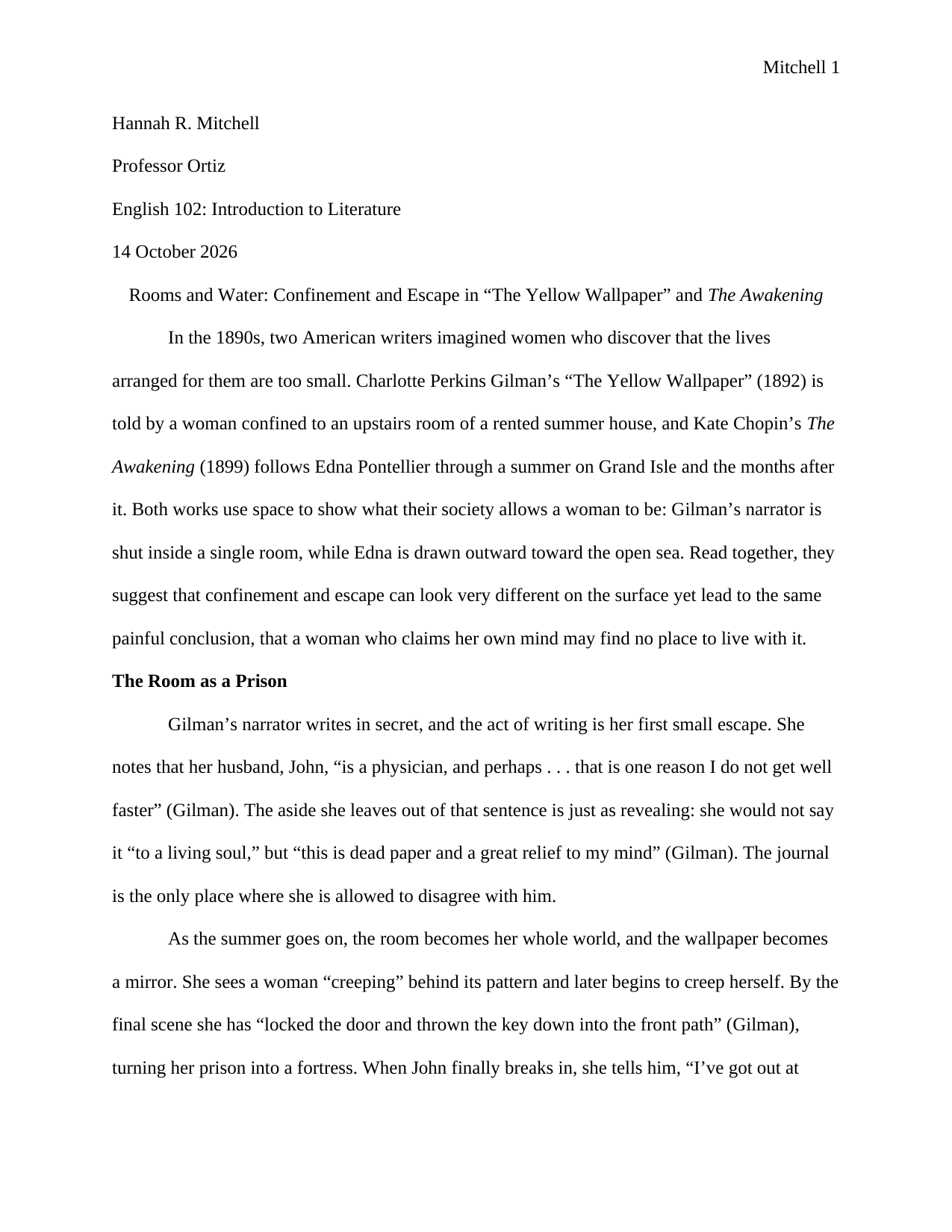
Read the sample paper before you start your draft, or keep it open while you write, to see how the rules look on a finished paper. It’s a four-page literary analysis by a fictional student of Charlotte Perkins Gilman’s “The Yellow Wallpaper” and Kate Chopin’s The Awakening, with section headings, short quotations, an ellipsis, a block quotation and citations for ebooks that have no page numbers. Every quotation matches the Project Gutenberg editions in its Works Cited list word for word, and those are real editions you can open.
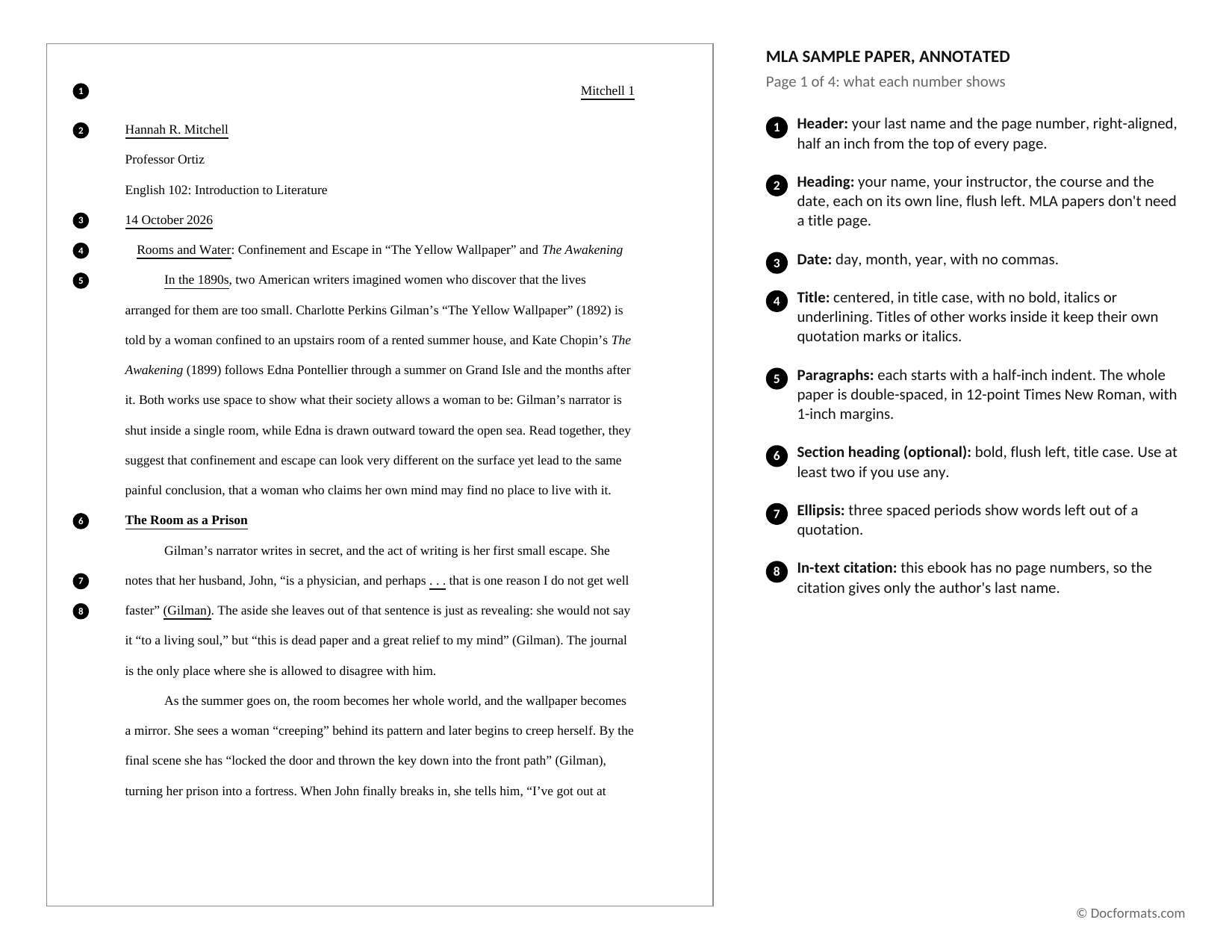
MLA Sample Paper (Annotated)
This version of the sample paper has numbered notes beside the text, one for the MLA rule at each marked spot, such as the header, the date or a citation.
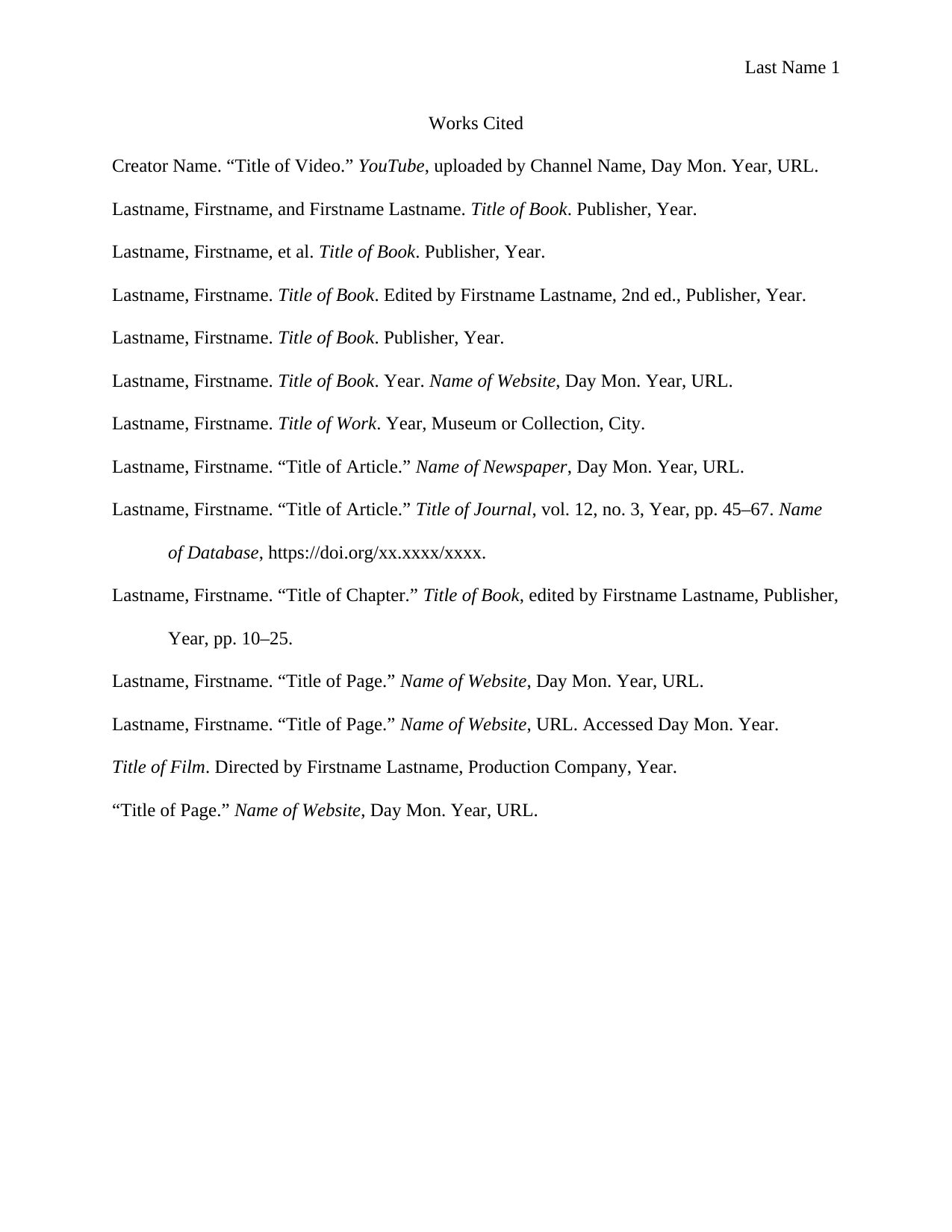
MLA Works Cited Template and Citation Guide
Use the Works Cited template for the list of sources at the end of your paper. It’s made with hanging indents and fill-in patterns for common sources, in alphabetical order. You replace the patterns with your sources and delete any you don’t need.
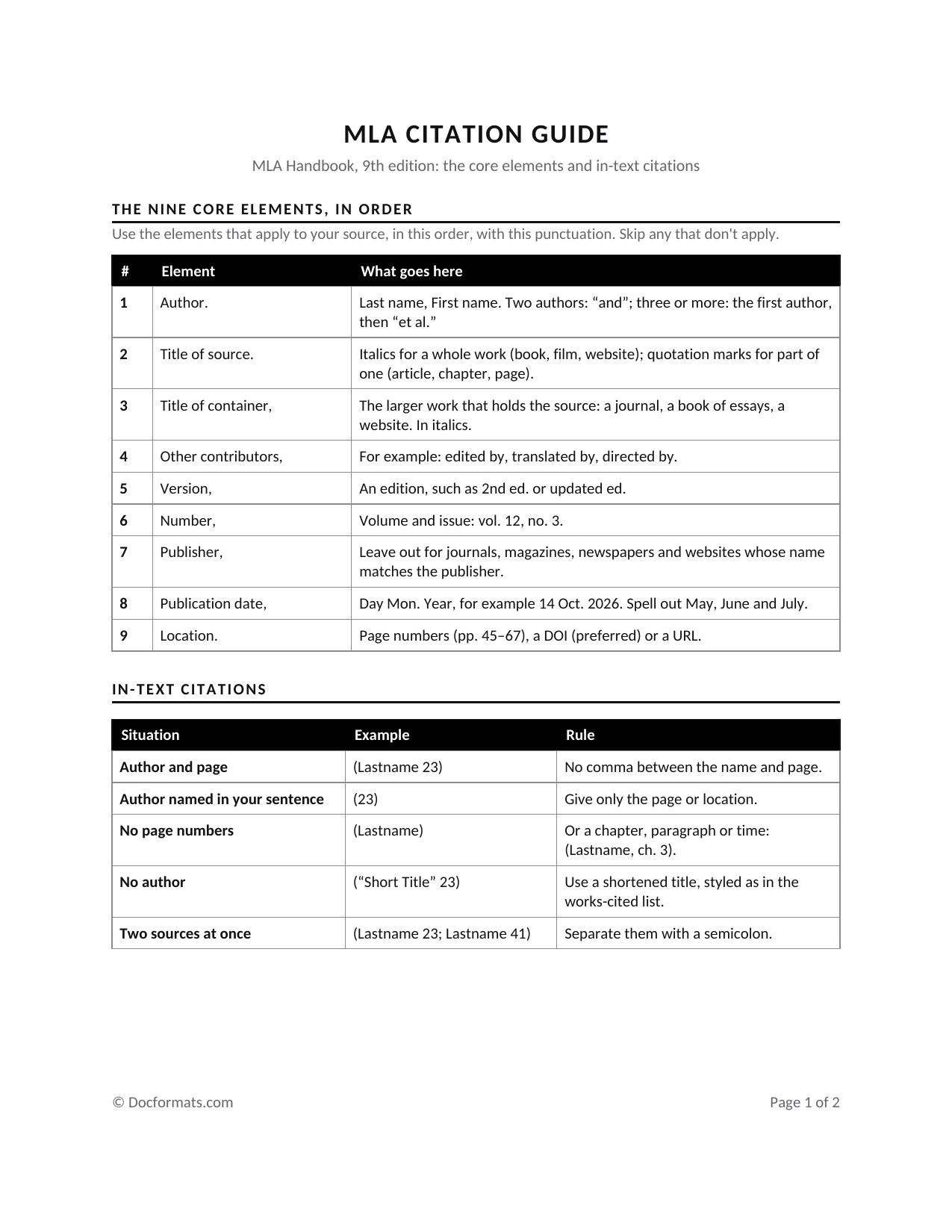
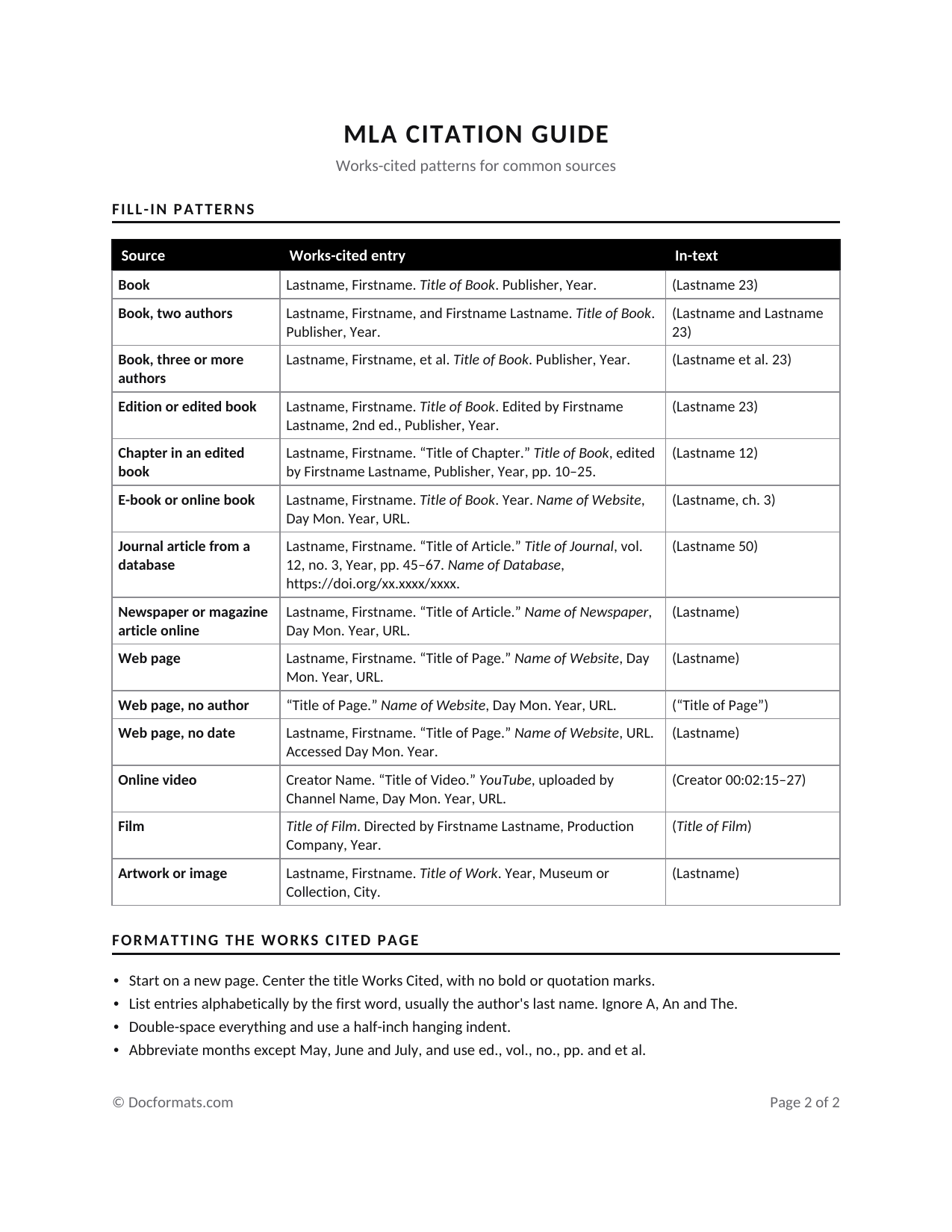
MLA Citation Guide
This two-page guide includes MLA’s core elements in order with their punctuation, then fill-in patterns for common sources, from a book with one author to a film or a piece of artwork, each with its in-text citation beside it. Write the entry and the citation from the same pattern. The citation in your paragraph then matches its entry in your Works Cited, and that match is how a reader finds the source you used.
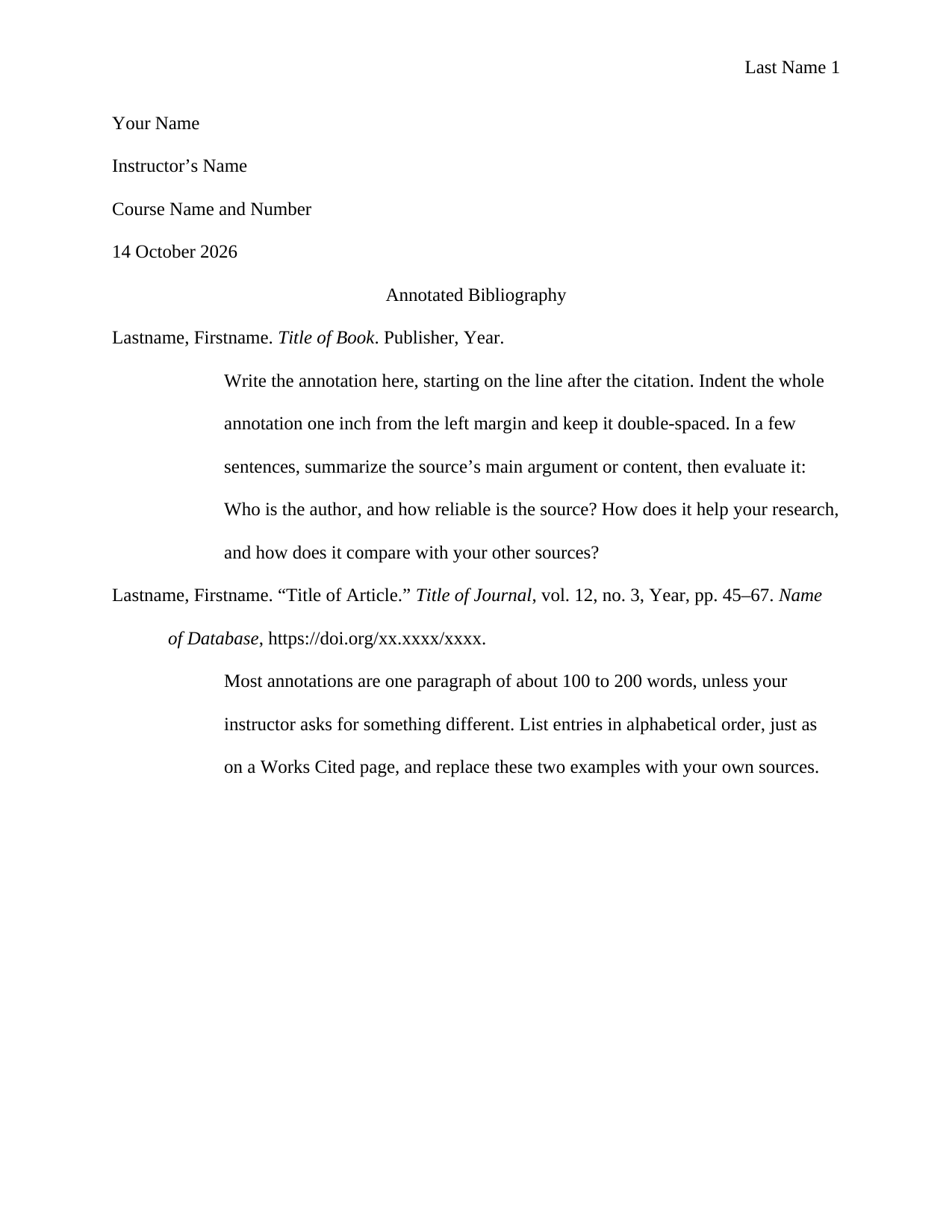
MLA Annotated Bibliography Template
If your assignment asks for a list of your sources with a paragraph about each one, this is the template for it. Each entry is a standard MLA citation with a half-inch hanging indent, and its annotation starts on the next line, one inch from the left margin and double-spaced.
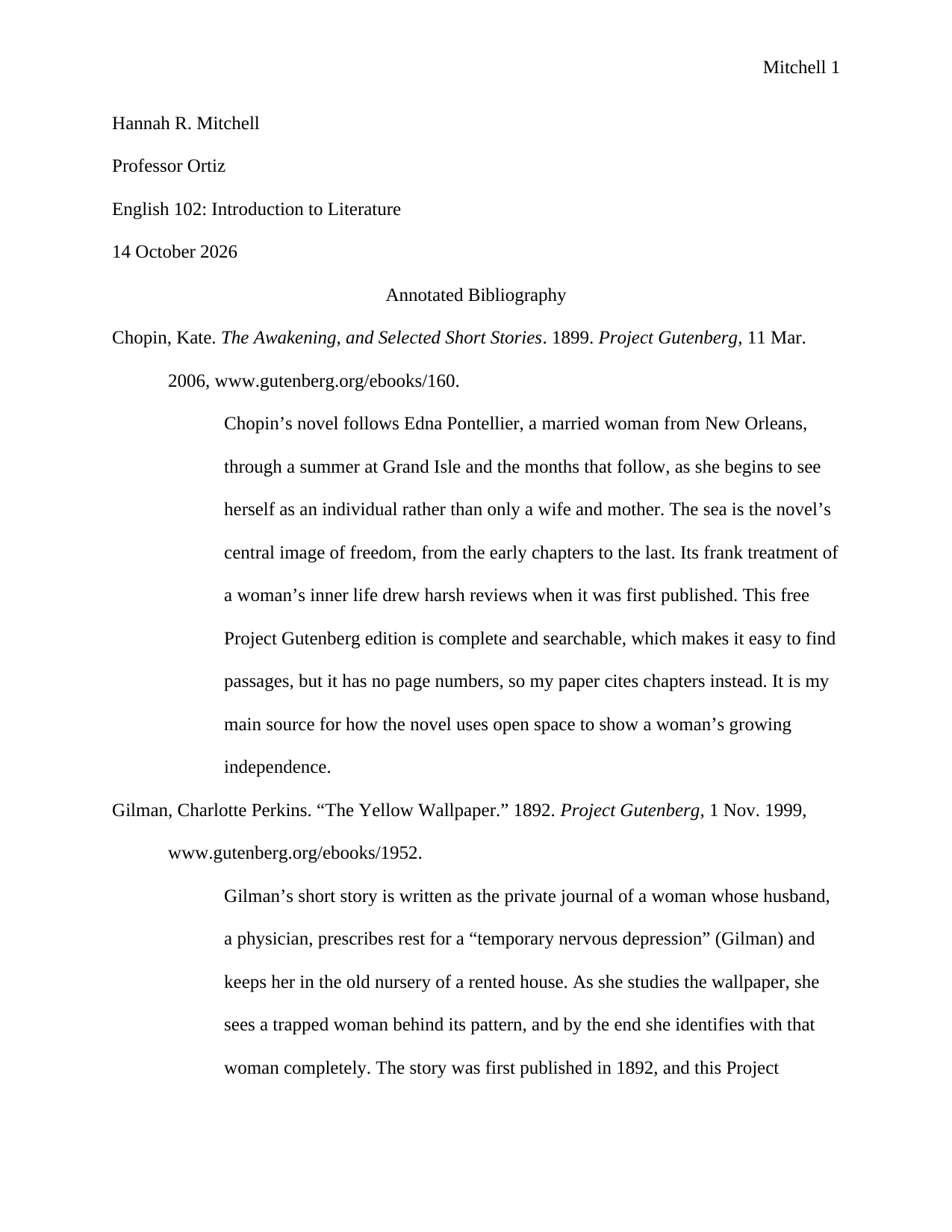
MLA Annotated Bibliography Example
This filled example includes annotations for the two works from our sample paper. Read it before you write your own, and you’ll see how long an annotation is and what it says about a source, such as a short summary and why the source is useful for your paper.
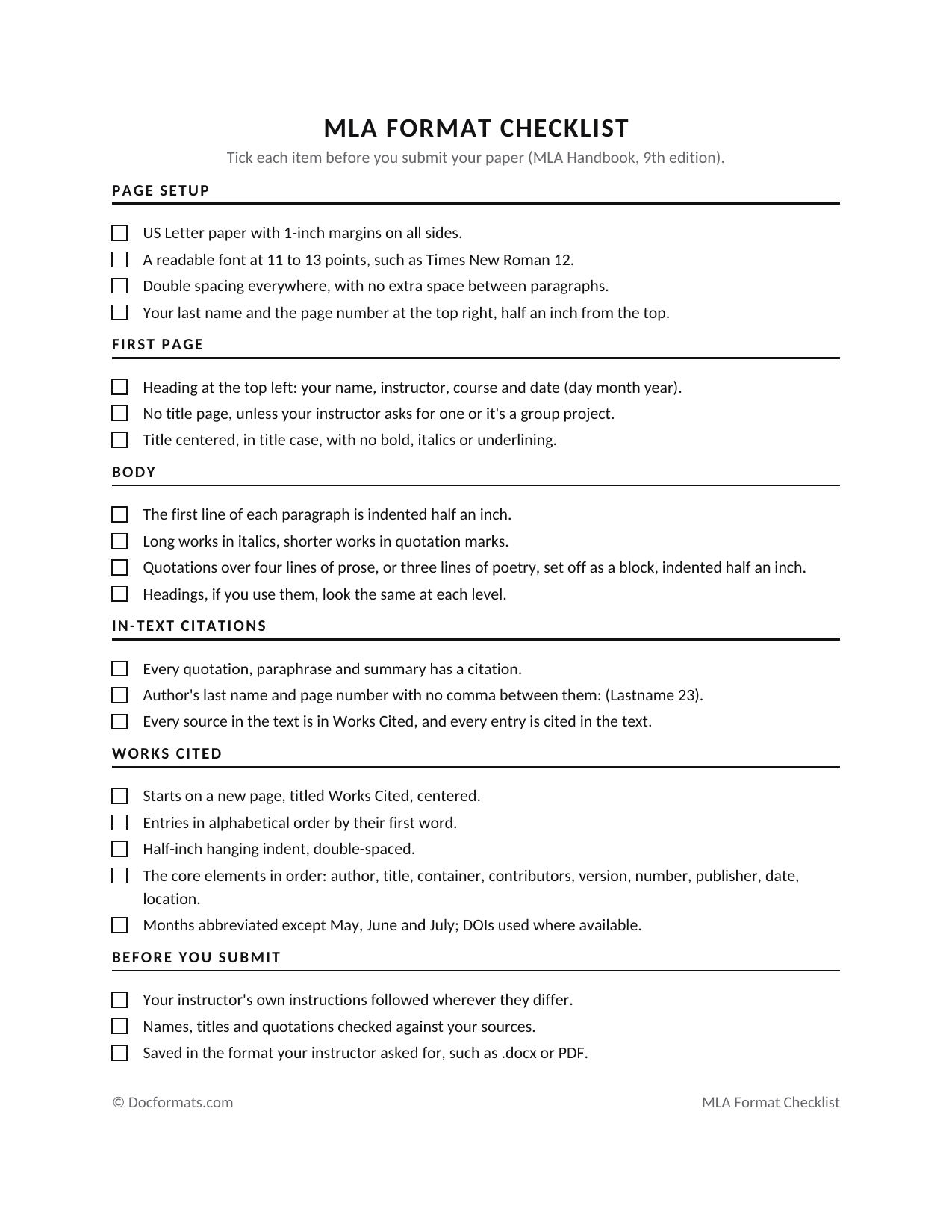
MLA Format Checklist
The checklist is for the very end, once your paper is finished and before you hand it in. It’s a fillable PDF with tick boxes under page setup, the first page, the body, in-text citations, Works Cited and a final check, and you go through your paper against each one. A last name missing from the header or a Works Cited entry that isn’t indented is easy to miss when you reread your own words, and with a box to tick for each, you look for it on purpose.
MLA Format Templates & Examples
Looking for a different layout? Here are more MLA format templates, examples and research paper outlines you can download.
#1

#3

#4

#5

#6

#7

#9

#10

#11

#13

#14

#15

#16

#17

#18

What Is MLA Format?
MLA format is the style the Modern Language Association sets for academic papers. It covers how your paper looks, from the margins and spacing to the heading and title, and how you credit your sources, with a short citation in parentheses in your sentence, such as (Lastname 42), and a full entry on the Works Cited list at the end of the paper. The rules are in the MLA Handbook, now in its ninth edition, published in April 2021.[1]
Guide for Making MLA Format Templates
If you’d rather make your own MLA template, open Word, start a new blank paper and set the following once. Each setting comes from MLA’s own guide to formatting a research paper.[2]
- Margins: under Layout, choose Margins, then Normal, for 1 inch at the top, bottom and both sides.
- Font: choose an easily readable typeface whose italics look clearly different from its regular type, at a standard size, such as Times New Roman at 12 points.
- Spacing: in the Paragraph settings, set line spacing to Double and the space before and after to 0 pt. MLA double-spaces the whole paper, including quotations, notes and the Works Cited list.
- Indent and alignment: in the same settings, set a first-line indent of 0.5 inch and align the text left. MLA asks you not to justify the lines at the right margin.
- Header: under Insert, choose Page Number, Top of Page, and the right-aligned number, then type your last name and a space before the number. Set the header half an inch from the top. Word’s page number updates itself, and the numbers stay right as the paper grows.
- Save it: choose Save As and Word Template (.dotx), and every new paper you start from it opens with these settings.
Formatting Guide for MLA Format Template
With Word set, here’s how each part of your paper should look as you write it.
General Guidelines
- Leave a single space after a period, unless your instructor prefers two.[2]
- Italicize the titles of whole works, such as books, films and websites, and use quotation marks for the titles of parts of works, such as articles, chapters and web pages, as our Citation Guide shows in its patterns.
- When a quotation is more than four lines long in your text, set it off as a block indented half an inch from the left margin.[3]
- If you use section headings, set them flush left and give every heading of one level the same style. If you have one heading at a level, you need a second one at that level too.[4]
- Place any endnotes before the Works Cited list.[2]
- Start the Works Cited list on a new page at the end, with the title Works Cited centered, the entries in alphabetical order, and each line after the first indented half an inch.[2]
Formatting the First Page
- Type the heading at the top left, one inch from the top, with your name, your instructor’s name, the course and the date on separate double-spaced lines.
- Center the title on the next line, in title case, in plain type. Don’t make it bold, underline it, type it in all capitals, or set it in italics or quotation marks. If your title names another work, style that work’s title the way you would anywhere in your text, as the example below does.[2]
- Start your text on the next line.
- Use a title page only if your instructor asks for one or it’s a group project. For a group project, MLA lists all the authors on the title page instead of in the heading.[2] Our MLA format paper template with a title page is made for those cases.
Here’s an example from our sample paper, with the header first and then the heading and title at the top of page 1.
Example
Mitchell 1
Hannah R. Mitchell
Professor Ortiz
English 102: Introduction to Literature
14 October 2026
Rooms and Water: Confinement and Escape in “The Yellow Wallpaper” and The Awakening
Pro Tip:
Some instructors prefer no header on page 1, and MLA says to follow their preference.[2] In Word, double-click the header and tick Different First Page, then leave the header on page 1 empty.
MLA Format Resources
To check a rule at its source, use MLA’s own guidance.
MLA Handbook
The MLA Handbook is MLA’s official guide to the style, and it works as both a textbook and a reference guide.[1] Along with the rules for setting up your paper, it has MLA’s guidance on grammar, punctuation, capitalization, numbers and abbreviations, and an appendix of hundreds of example Works Cited entries sorted by the kind of source, including websites, YouTube videos and interviews.[5] Look a source up there when our Citation Guide has no pattern for it.
MLA Style Center
The MLA Style Center is MLA’s official website for the style. It has MLA’s answers to questions about citing and formatting, and guides such as its guide to formatting a research paper, the source of most of the formatting rules above.
When to Use the MLA Format
Use MLA format when your instructor or your assignment asks for it. It’s the usual style in the humanities, in disciplines such as the following:
- English language and literature
- Foreign languages and literatures
- Literary criticism and comparative literature
- Composition and writing courses
- Cultural, film and media studies
Note:
Always follow your instructor’s requirements where they differ from MLA. MLA’s own guide says to check your instructor’s requirements before you prepare your final draft.[2]
Frequently Asked Questions
Lastname, Firstname. “Title of Page.” Name of Website, Day Mon. Year, URL. Italicize the website’s name. That’s the pattern in our Citation Guide. If the page has no date, end the entry with the date you last opened it and the label Accessed, such as Accessed 14 Oct. 2026.
The ninth edition keeps the system for citing sources that the eighth edition introduced. It adds hundreds of example citations, more guidance on formatting papers, including group projects, title pages and lists, and new sections on inclusive language, annotated bibliographies and notes.
Give the author’s last name alone, such as (Lastname). If the source has chapters or numbered paragraphs, or it’s a video with time stamps, you can add one of those, such as (Lastname, ch. 3). Our sample paper cites its two ebooks this way.
A Works Cited list contains the full entry for each source you cite in your paper. An annotated bibliography adds a short paragraph after each entry, summarizing the source and saying how it’s useful for your work.
Final Thoughts
When every quotation has its citation and every citation has its entry on the Works Cited list, your instructor can trace each source you used back to where you found it, and that’s what the format is for.
How did our templates help you today?
Oops! What went wrong?
5 Sources
- What's New in the Ninth Edition of the MLA Handbook (Spring 2021), MLA Style Center, Modern Language Association style.mla.orgSays the ninth edition of the MLA Handbook was published in April 2021 and works as both a textbook and a reference guide. ↑
- Formatting a Research Paper, MLA Style Center, Modern Language Association style.mla.orgMLA's guide to margins, type, spacing, the heading and title, the running head, title pages and the Works Cited list. ↑
- How does the font and type size I choose affect the formatting of block quotations in my paper?, MLA Style Center, Modern Language Association style.mla.orgQuotes the MLA Handbook on setting off a quotation of more than four lines as a block indented half an inch. ↑
- How do I style headings and subheadings in a research paper?, MLA Style Center, Modern Language Association style.mla.orgSays headings are flush left, each level styled the same, and a level with one heading needs a second. ↑
- MLA Handbook, Ninth Edition, Modern Language Association mla.orgMLA's own page for the ninth edition, listing what it covers: grammar and punctuation guidance, inclusive language, research paper format and an appendix of example works-cited entries. ↑


